
Settings
Customize the language, currency, and number format
The Settings section lets you configure the platform's visual and regional preferences. These settings only affect your experience within the application and do not change the content sent to travelers or the information received from the API.
Accessing Settings
- Log in to the Bundleport platform.
- At the bottom of the left-hand side menu, click the settings icon.
- Select Settings.
Preferences
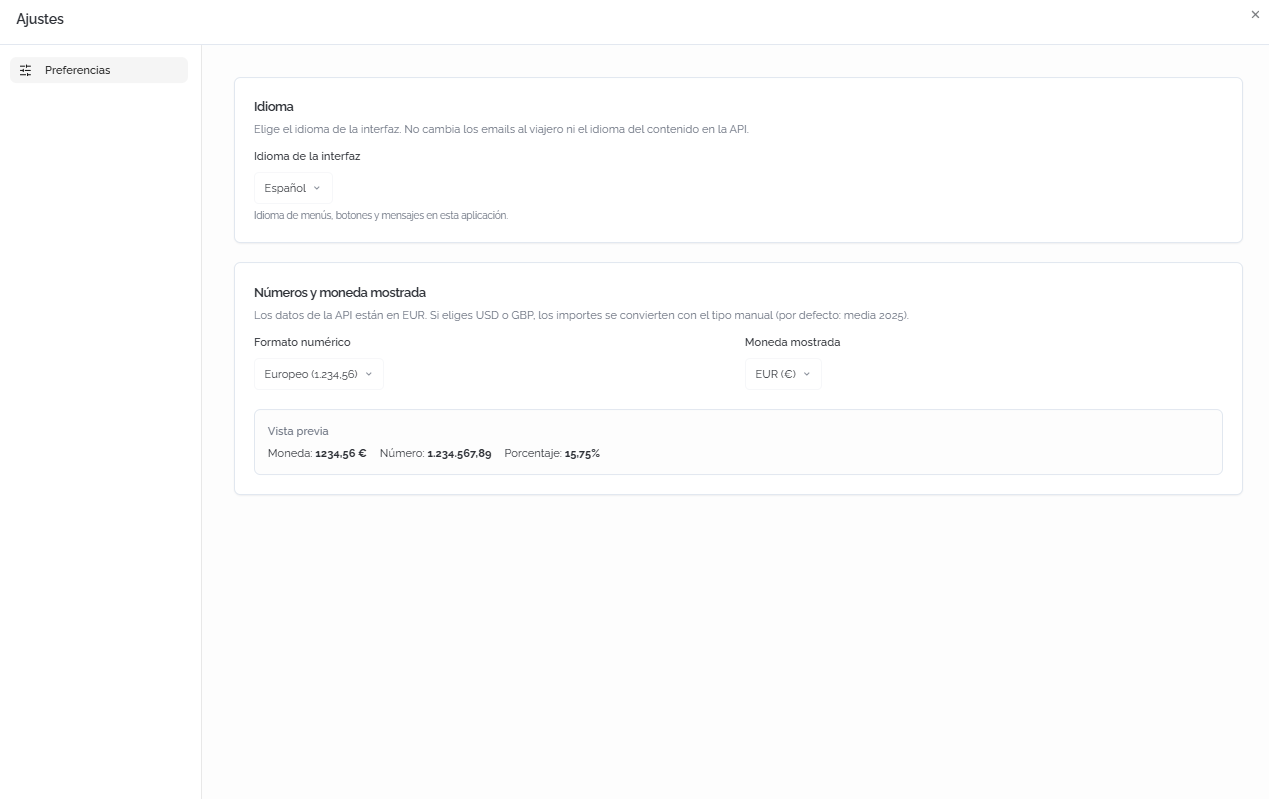
From the Preferences section, you can configure the following parameters:
Language
- Interface language: select the language for menus, buttons, and messages in the application. Available options: Spanish and English.
ℹ️ Information
Changing the interface language does not change the language of the emails sent to travelers or the language of the content provided by the API. To configure the email language, see the Sender tab in the Communications module.
Numbers and displayed currency
Data from the API is received in EUR. If you select another currency, amounts are converted using a manual exchange rate.
- Number format: defines how numbers and decimals are displayed (for example, European format: 1.234,56).
- Displayed currency: the currency in which amounts are shown within the platform (for example, EUR, USD, GBP).
Below the fields, a Preview shows examples of how data will be displayed with the selected configuration: currency, number, and percentage.
FAQs
Do the language and currency settings affect other users in my agency?
No. These settings are individual and only affect your own session. Each user can configure their own language, number format, and currency.
Does changing the displayed currency change the actual price of bookings?
No. Bookings are always processed in EUR. The displayed currency is a visual conversion based on the manual exchange rate configured. The amount actually billed is always the price in EUR.
Does changing the interface language change the language of emails to clients?
No. The interface language only affects the menus, buttons, and messages you see on the platform. The language of emails sent to travelers is configured from the Communications module.
Which number format should I choose?
It depends on your country's convention. The European format uses a period as the thousands separator and a comma for decimals (1.234,56). The Anglo-Saxon format uses a comma as the thousands separator and a period for decimals (1,234.56). The preview lets you check the result before saving.
No comments to display
No comments to display