
Help
How to get help, report issues, and send suggestions
Bundleport offers several channels for getting help: support email, built-in FAQs, real-time system status, and a feedback form for sending suggestions or reporting bugs. All of these resources are accessible from the platform's menu.
Accessing Help
- Log in to the Bundleport platform.
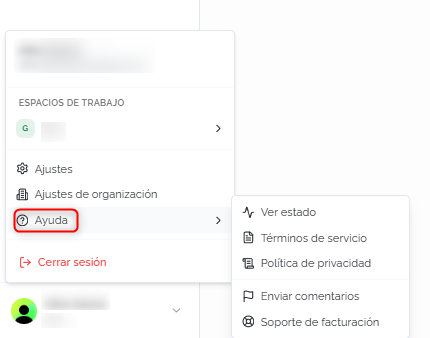
- Click your username in the bottom left corner of the side menu.
- Select Help to expand the available options.
The options in the Help menu are:
- View status: opens the system status page to check service availability and incidents.
- Terms of service: link to the platform's terms and conditions of use.
- Privacy policy: link to the privacy policy.
- Send feedback: opens the support page.
- Billing support: opens the support page.
Support page
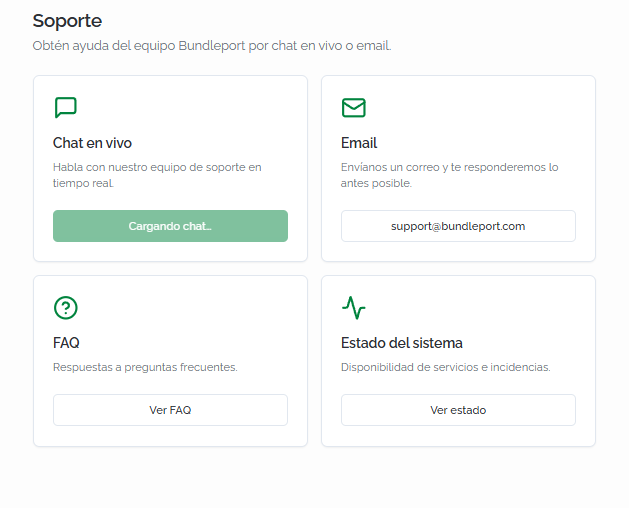
Both Send feedback and Billing support in the Help menu lead to the Support page, which centralizes the available help channels in four cards:
- Live chat: real-time support channel with the Bundleport team.
- Email: send an email to support@bundleport.com for inquiries that don't require immediate attention. The support team will respond as soon as possible.
- FAQ: access the platform's frequently asked questions section. It includes a search tool and covers topics such as the supply catalog, supplier connections, markup, service accounts, system status, monitoring, user roles, and creating support tickets.
- System status: check service availability and active incidents in real time.
⚠️ Important
Live chat isn't available yet. While it's being enabled, use the support email support@bundleport.com as the main channel for urgent inquiries.
💡 Tip
Before contacting support, check the FAQ on the support page and the FAQ sections in each article of this knowledge base. Most operational questions are covered in the articles for each module.
Sending feedback or reporting an issue
In addition to the support channels, Bundleport includes a form built into the platform for sending suggestions or reporting bugs directly to the product team.
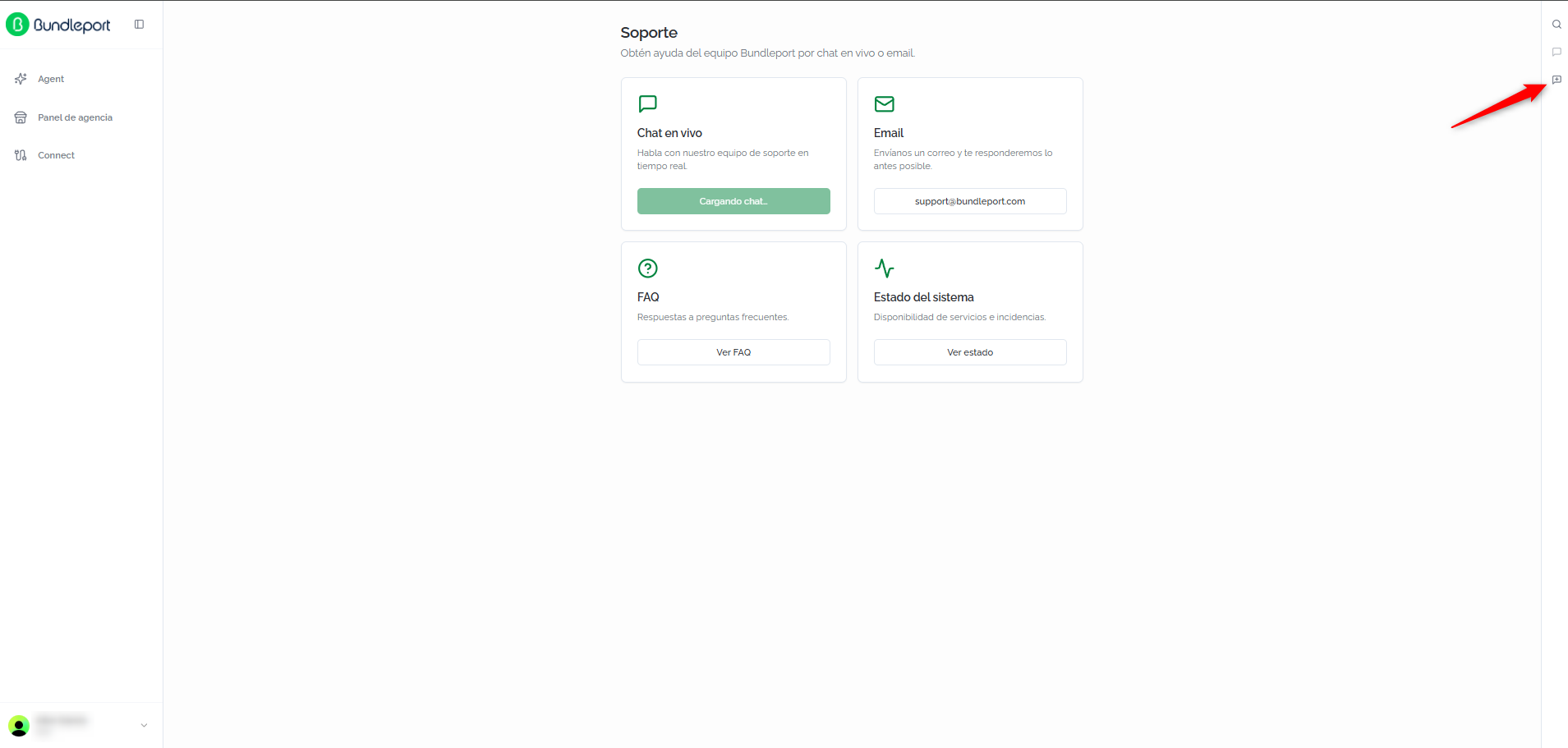
To access it, click the Share your feedback icon on the right-hand side of any page in the platform. A form will open with two modes depending on the type of report.
Suggestion or improvement
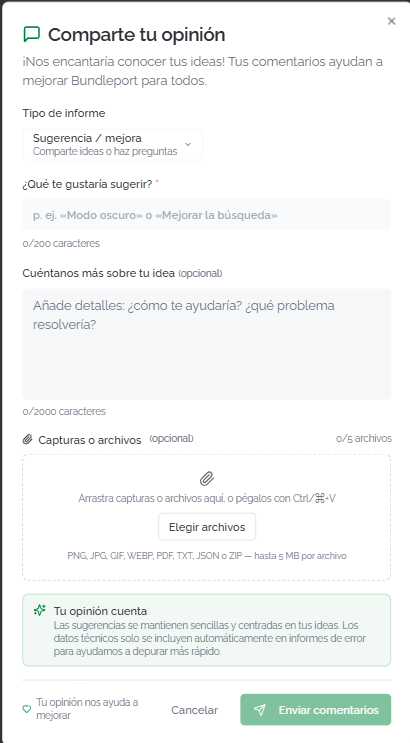
Select the Suggestion / improvement report type to share ideas or ask questions. The form fields are:
- What would you like to suggest? (required): a brief description of the suggestion (maximum 200 characters).
- Tell us more about your idea (optional): additional details on how it would help you and what problem it would solve (maximum 2000 characters).
- Screenshots or files (optional): attach up to 5 files (PNG, JPG, GIF, WEBP, PDF, TXT, JSON, or ZIP, maximum 5 MB per file).
Click Send feedback to submit the suggestion.
Reporting a problem
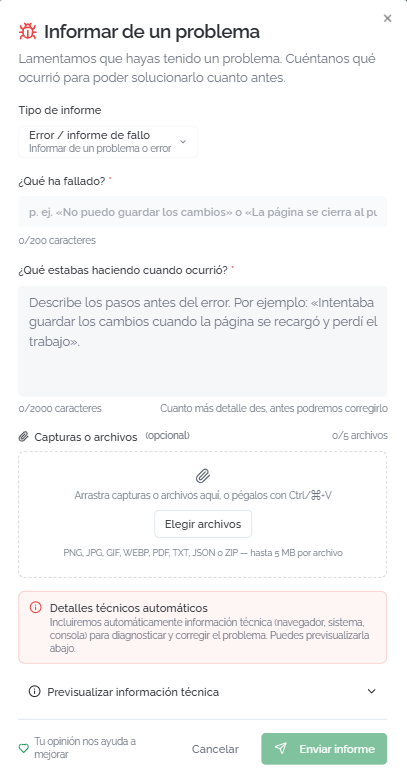
Select the Bug / issue report report type to report a technical problem. The form fields are:
- What went wrong? (required): a brief description of the problem (maximum 200 characters).
- What were you doing when it happened? (optional): describe the steps leading up to the error so the team can reproduce it (maximum 2000 characters).
- Screenshots or files (optional): attach up to 5 files with screenshots of the error or other relevant information.
ℹ️ Information
When reporting a bug, the platform automatically includes technical information (browser, operating system, console) to help the team diagnose the problem. You can preview this data before sending by clicking Preview technical information.
💡 Tip
When reporting a bug, always include a screenshot and describe the steps you followed before it happened. The more detail you provide, the faster the team can resolve it.
Click Send report to report the problem.
FAQs
What's the fastest way to get support?
Currently, the fastest channel is email at support@bundleport.com. Live chat will be available soon.
Where can I check if the platform has any incidents?
From the Help menu, click View status, or access the System status card on the support page. There you can check service availability and active incidents in real time.
What's the difference between "Send feedback" and "Share your feedback"?
Send feedback (in the Help menu) opens the support page with all the available channels. Share your feedback (icon on the right-hand side) opens the feedback form directly to send suggestions or report bugs to the product team.
Can I attach files when reporting a problem?
Yes. You can attach up to 5 files (screenshots, logs, documents) of a maximum of 5 MB each. The supported formats are: PNG, JPG, GIF, WEBP, PDF, TXT, JSON, and ZIP.
What technical information is sent automatically when reporting a bug?
Browser, operating system, and console data. This information helps the team reproduce and diagnose the problem. You can preview it before submitting the report.
Does anyone read the suggestions I send?
Yes. Suggestions go directly to the Bundleport product team and are taken into account for the platform's improvement roadmap
Where can I find the platform's FAQ?
On the support page, click View FAQ. The FAQ covers general platform topics. In addition, each article in this knowledge base includes a section of module-specific frequently asked questions.
No comments to display
No comments to display