
Clients
CentralizaCentralize layour informaciónclient de tus clientesinformation
ClientesClients esis lathe herramientacontact demanagement gestióntool debuilt contactosinto integradathe enAgency elPanel. PanelIt delets agencia.you Permitecentralize centralizarclient laand informacióntraveler deinformation, clientesview yeach viajeros,client's consultarhistory elof historialproposals deand propuestasbookings, yand reservasspeed deup cadathe cliente,booking yprocess acelerarby elpre-filling procesotraveler dedata reserva precargando los datos de los viajeros en elat checkout.
EnInstead lugarof deentering introducirpassenger losdetails datosfor deevery losquote pasajerosor enbooking, cadaagents cotizaciónbuild oa reserva,reusable losdatabase agentesthat construyengrows unawith baseeach deinteraction, datos reutilizable que crece con cada interacción, reduciendo el trabajoreducing manual ywork minimizandoand errores.minimizing errors.
AccederAccessing a ClientesClients
EntraLogeninlato theplataformaBundleportde Bundleportplatform.EnInelthemenúleft-handlateralsideizquierdo,menu,seleccionaselect Agency Panelde agencia.SeleccionaSelectClientesClients.
ListadoClients de clienteslist
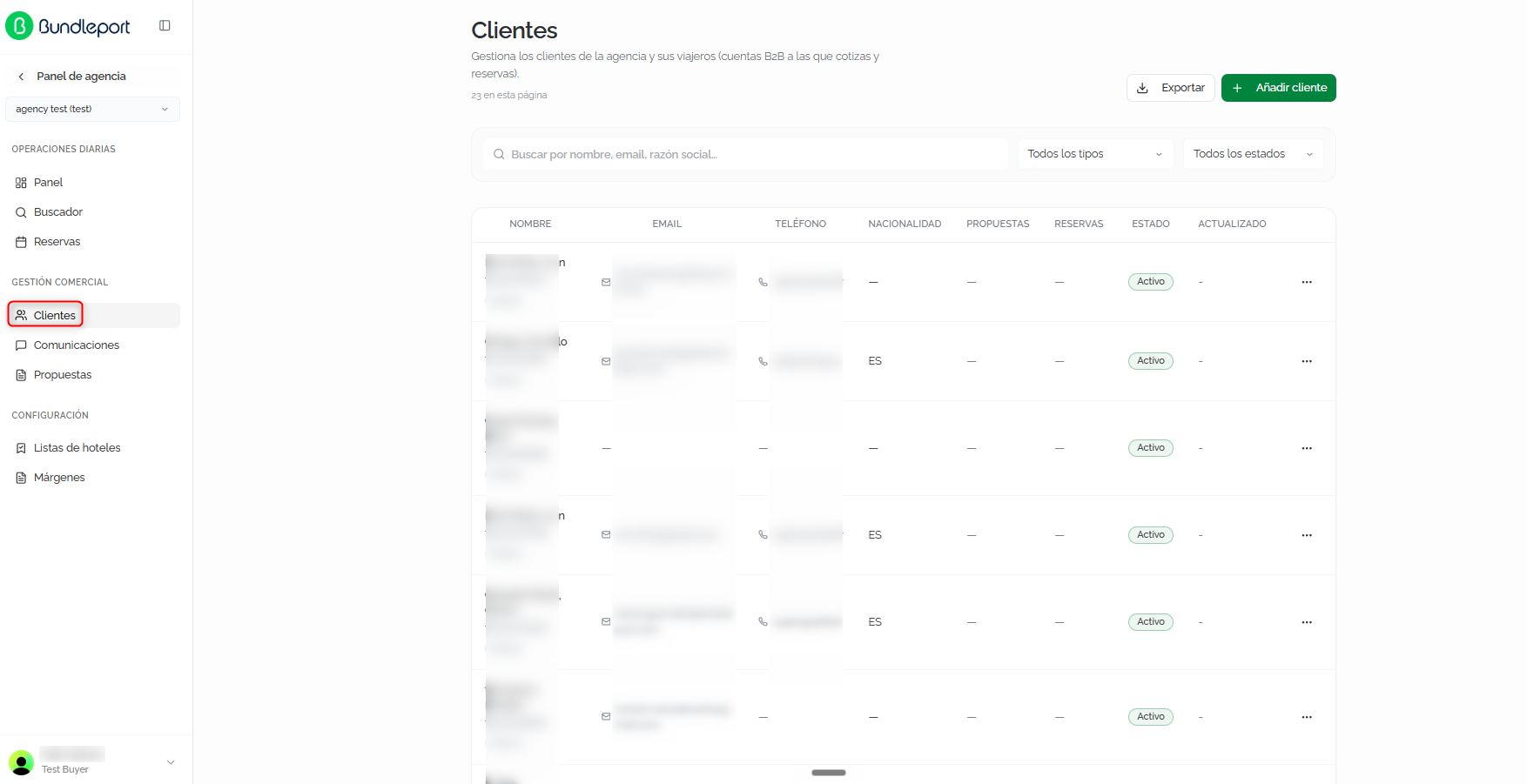
LaThe páginapage muestrashows elthe listadoagency's completofull delist clientesof declients, lawith agencia, con el númerothe total denumber registrosof enrecords laat partethe superior.top.
BúsquedaSearch yand filtrosfilters
BuscarSearch:campofree-textdefieldtextotolibrelocateparaclientslocalizarbyclientesname,poremail,nombre,oremailcompanyo razón social.name.TodosAlllos tipostypes:filtrafilterporbytipoclientde clientetype (Persona físicaIndividualoorPersona jurídicaCompany).TodosAlllos estadosstatuses:filtrafilterporbyestadostatus (ActivoActiveoorInactivoInactive).

TablaClients de clientestable
CadaEach clienteclient seis muestrashown comoas unaa filarow conwith lasthe siguientesfollowing columnas:columns:
NombreName:nombreclientdelname,cliente,identifyingcódigocode,identificativoandy tipo.type.- Email:
correocontactelectrónicoemailde contacto.address. TeléfonoPhone:númerophonede teléfono.number.NacionalidadNationality:paísclient'sdel cliente.country.PropuestasProposals:númeronumberdeofpropuestasassociatedasociadas.proposals.ReservasBookings:númeronumberdeofreservasassociatedasociadas.bookings.EstadoStatus:ActivoActiveoorInactivoInactive.ActualizadoUpdated:fechadatedeoflatheúltimalastactualización.update.
ExportarExport
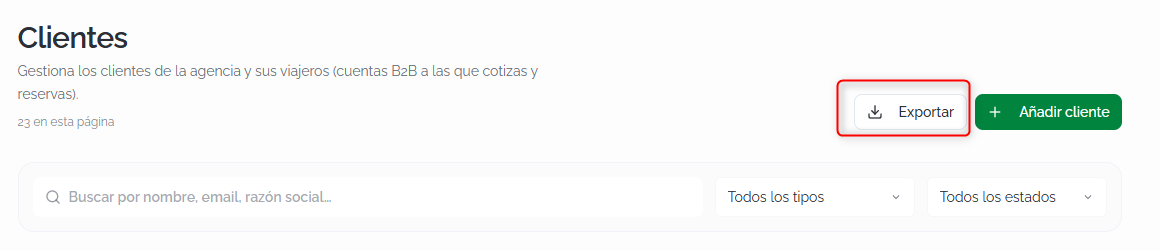
Haz clic enClick ExportarExport parato descargardownload elthe listadoclient delist clientesas ena formatoCSV CSV.file.
AñadirAdding una clienteclient
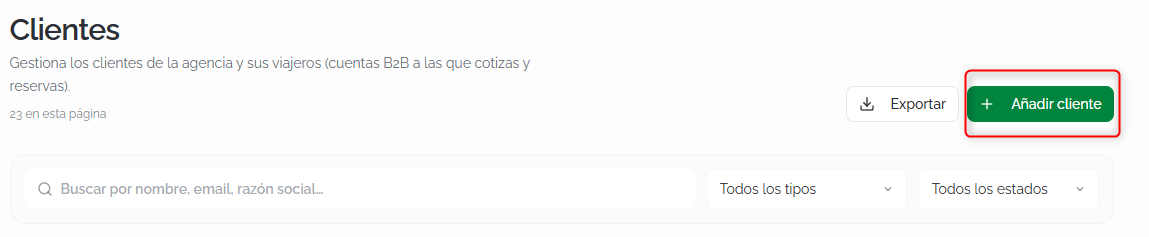
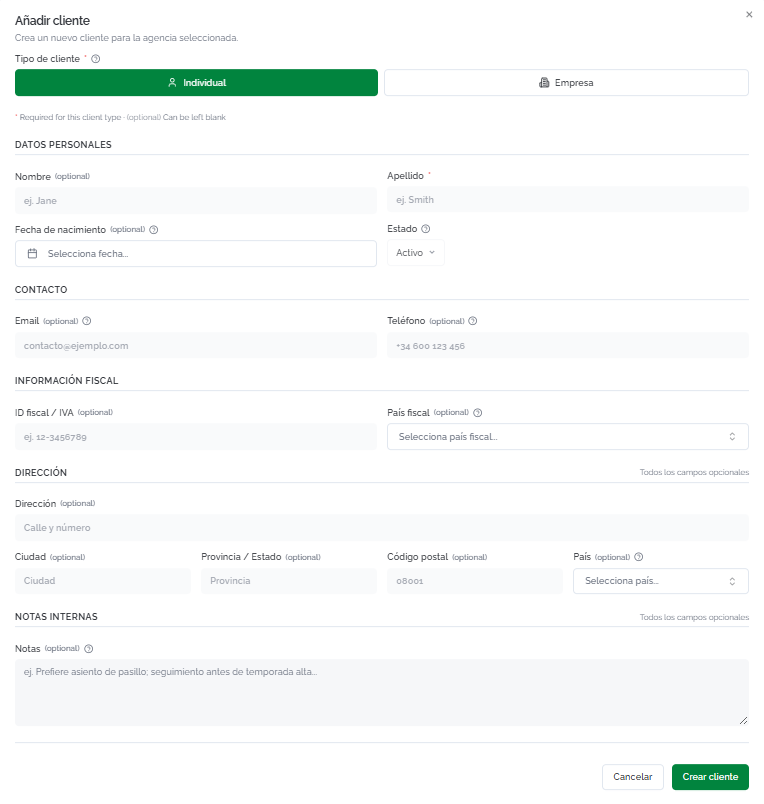
Haz clic enClick AñadirAdd clienteclient parato abriropen elthe formulariocreation deform. creación.Select Seleccionathe elclient tipo de cliente:type: Individual oor EmpresaCompany. LosThe camposfields varíanvary segúndepending elon tipothe seleccionado.selected type.
ClienteIndividual Individualclient
DatosPersonalpersonalesdetails:nombrefirst name (opcional)optional),apellidolast name (obligatorio)required),fechadatedeofnacimientobirth (opcional)optional),yandestadostatus (ActivoActiveporbydefecto)default).ContactoContact: emailyandteléfonophone (ambosbothopcionales)optional).InformaciónTaxfiscalinformation: tax IDfiscal/IVAVATyandpaístaxfiscalcountry (ambosbothopcionales)optional).DirecciónAddress:dirección,address,ciudad,city,provincia/estado, códigostate/province, postalycode,paísand country (todosallopcionales)optional).NotasInternalinternasnotes:campofree-textdefieldtextoforlibrenotesparaaboutanotacionesthesobre el clienteclient (porforejemplo,example,preferenciasseatingdepreferences,asiento,salesseguimiento comercial)follow-up).
ℹ️ InformaciónInformationElThe únicoonly camporequired obligatoriofield parato crearcreate un clientean individual esclient elis the ApellidoLast name. ElThe restorest deof camposthe sefields puedencan completarbe másfilled adelantein later as information is gathered. This makes it possible to create clients quickly during a medidacall queor seinquiry recopileand laenrich información.their Estoprofile permite crear clientes rápidamente durante una llamada o consulta y enriquecer su ficha después.afterward.
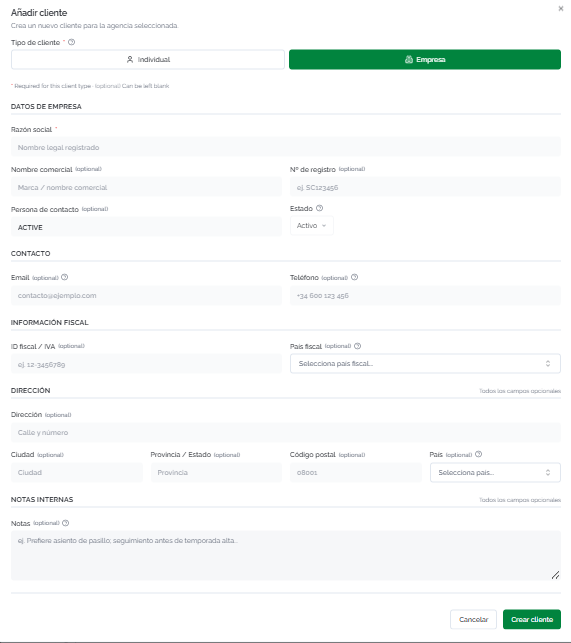
ClienteCompany Empresaclient
DatosCompanyde empresadetails:razónlegalsocialname (obligatorio)required),nombretradecomercialname (opcional)optional),númeroregistrationde registronumber (opcional)optional),personacontactde contactoperson (opcional)optional),yandestadostatus (ActivoActiveporbydefecto)default).ContactoContact: emailyandteléfonophone (ambosbothopcionales)optional).InformaciónTaxfiscalinformation: tax IDfiscal/IVAVATyandpaístaxfiscalcountry (ambosbothopcionales)optional).DirecciónAddress:dirección,address,ciudad,city,provincia/estado, códigostate/province, postalycode,paísand country (todosallopcionales)optional).NotasInternalinternasnotes:campofree-textdefieldtextoforlibre para anotaciones.notes.
Haz clic enClick CrearCreate clienteclient parato guardarsave elthe registro,record, o enor CancelarCancel parato descartarlo.discard it.
DetalleClient de un clientedetails
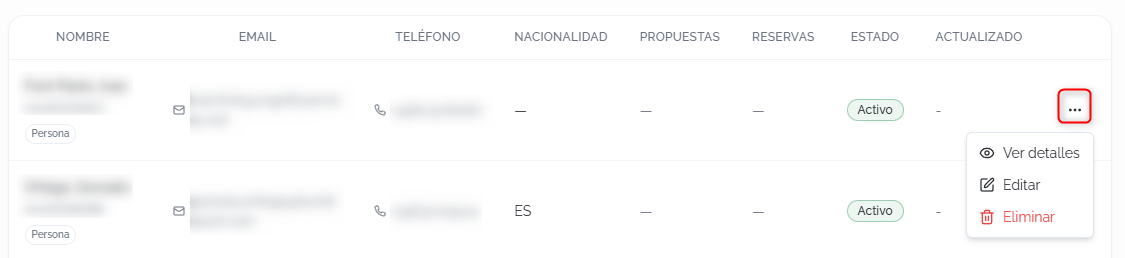
Al hacer clic enClicking VerView detallesdetails o en el nombre de un cliente, se accedeor a suclient's fichaname completa.opens Latheir cabecerafull muestraprofile. elThe nombre,header elshows estado,the elname, tipo,status, eltype, códigoidentifying identificativo,code, elemail, emailand y el teléfono.phone.
DesdeFrom lathe cabeceraheader, puedes:you can:
NuevaNewpropuestaproposal:crea unapropuestaasociadacreates aesteproposalcliente.linkedSetoabrethisunclient.diálogoAdondedialogindicaropenselwheretítuloyouyenterconfirmartheeltitlecliente.and confirm the client.EditarEdit:abreopenseltheformularioeditdeformediciónwithconthelossamemismosfieldscamposasqueinen la creación.creation.EliminarDelete:eliminaremoveseltheclienteclientdefromlatheagencia.agency.
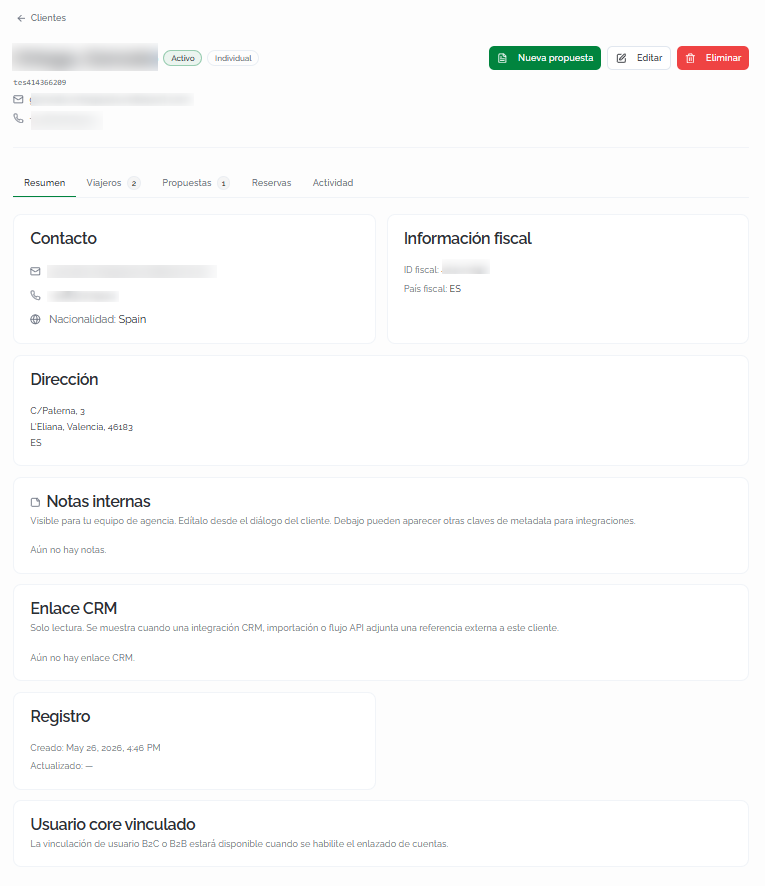
LaThe fichaprofile seis organizaorganized eninto cincofive pestañas:tabs:
ResumenOverview
VistaGeneral generalview conwith todaall lathe informaciónclient's del cliente:information:
ContactoContact: email,teléfonophone,yandnacionalidad.nationality.InformaciónTaxfiscalinformation: tax IDfiscal/IVAVATyandpaístaxfiscal.country.DirecciónAddress:direcciónfullcompleta.address.NotasInternalinternasnotes:anotacionesnotesvisiblesvisibleparatoeltheequipoagencydeteam,agencia,editableeditablesfromdesdetheeleditformulario de edición.form.EnlaceCRMCRMlink:referenciaread-onlyexternaexternaldereference.soloShownlectura.whenSeamuestraCRMcuandointegration,unaimport,integración CRM, importación o flujoor APIadjuntaflowuna referenciaattaches aestereferencecliente.to this client.RegistroRecord:fechacreationdedatecreaciónandylastúltima actualización.update.UsuarioLinked corevinculadouser:informacióninformationsobreaboutlalinkingvinculación con cuentasto B2Coor B2B accounts (disponibleavailablecuandowhenseaccounthabilitelinkingelisenlazado de cuentas)enabled).
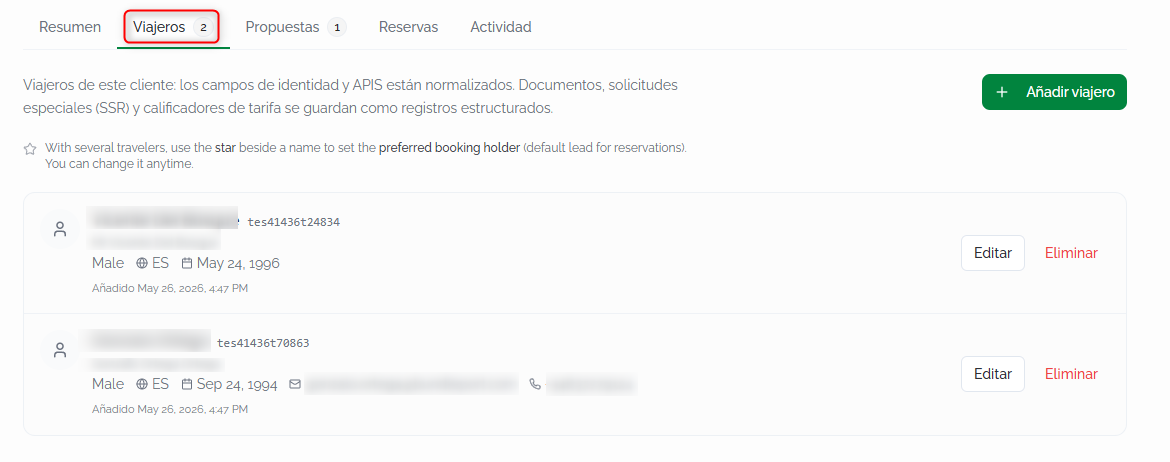
ViajerosTravelers
ListadoList deof viajerostravelers asociadosassociated alwith cliente.the Cadaclient. viajeroEach muestratraveler nombreshows completo,full tratamiento,name, género,title, nacionalidad,gender, fechanationality, dedate nacimiento,of datosbirth, decontact contactodetails (siif estánavailable), disponibles)and ycreation fechadate. deEach creación.record Cada registro incluye botones paraincludes EditarEdit yand EliminarDelete. buttons.
Haz clic enClick AñadirAdd viajerotraveler parato crear un nuevo viajero asociadocreate a estenew cliente.traveler associated with this client.
💡 ConsejoTipLosTravelers viajerosyou queregister registreshere aquíwill estaránbe disponiblesavailable parato autocompletarauto-fill datosdata en elat checkout defor cualquierany reservabooking vinculadalinked ato estethis cliente.client. EnInstead lugarof detyping escribirin lospassenger datosdetails delevery pasajerotime, cadaselect vez,the seleccionacorresponding eltraveler viajeroand correspondientethe yfields losare camposfilled sein rellenanautomatically. automáticamente.This Estois esespecially especialmenteuseful útil en reservas defor vuelosflight, dondebookings, sewhere requierentravel datosdocument deldetails documentoare de viaje.required.
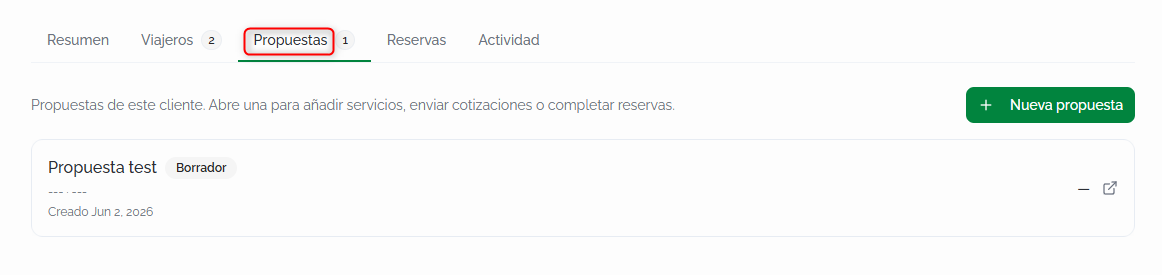
PropuestasProposals
ListadoList deof propuestasproposals asociadasassociated alwith cliente.the Cadaclient. propuestaEach muestraproposal sushows título,its estadotitle, status (porfor ejemplo,example, BorradorDraft), yand fechacreation dedate. creación.Click Haza clicproposal ento unaopen propuestait paraand abrirlaadd yservices, añadirsend servicios,quotes, enviaror cotizacionescomplete o completar reservas.bookings.
Haz clic enClick NuevaNew propuestaproposal parato crear una propuesta directamente vinculadacreate a esteproposal cliente.directly linked to this client.
ReservasBookings
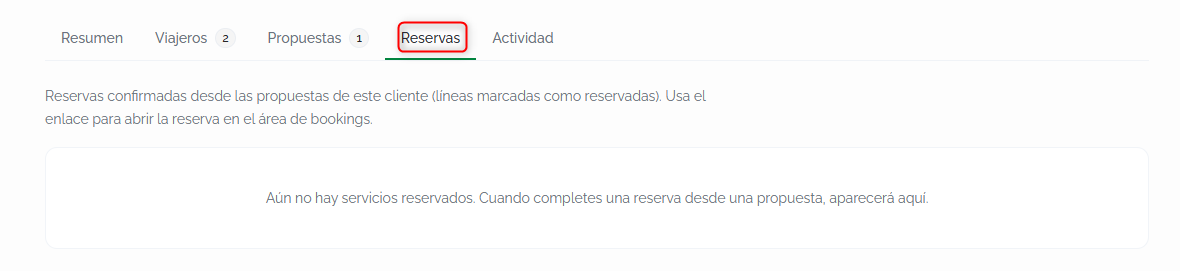
ListadoList deof reservasbookings confirmadasconfirmed desdefrom lasthis propuestasclient's deproposals. esteEach cliente.entry Cadalinks entradadirectly enlazato directamentethe abooking lain reserva en el módulo dethe ReservasBookings. module.
ℹ️ InformaciónInformationLasBookings reservasappear aparecenhere aquías they're completed from the client's proposals. If a medidabooking quewas semade completanwithout desdelinking lasa propuestasclient del cliente. Si una reserva se realizó sin asociar un cliente en elat checkout, noit apareceráwon't enappear estaon pestaña.this tab.
ActividadActivity
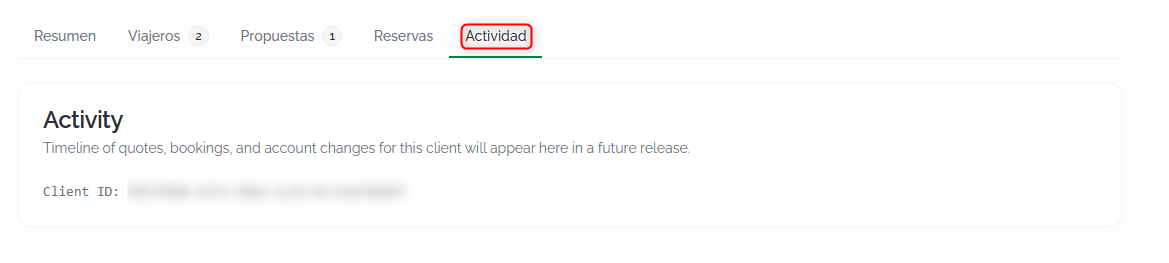
RegistroChronological cronológicolog deof lasactions accionesperformed realizadason sobrethe laclient's fichaprofile: delcreation, cliente:edits, creación,travelers ediciones,added, viajerosand añadidosother y otros cambios.changes.
FAQs
¿CuálWhat's esthe ladifference diferenciabetween entrea unclient clienteand ya un viajero?traveler?
ElThe clienteclient esis lathe personaperson oor empresacompany quecontracting contratathe el servicioservice (elthe titularholder deof lathe relaciónbusiness comercial)relationship). Los viajerosTravelers sonare lasthe personaspeople quewho viajanactually efectivamente.travel. UnA clienteclient puedecan tenerhave múltiplesmultiple viajerostravelers asociadosassociated with them (porfor ejemplo,example, unaa familiafamily oor una grupocorporate corporativo)group).
¿QuéWhat datosinformation sonis obligatoriosrequired parato crearcreate una cliente?client?
ParaFor unan clienteindividual individual,client, soloonly elthe ApellidoLast name esis obligatorio.required. ParaFor una clientecompany empresa,client, soloonly lathe RazónLegal socialname. Elis restorequired. deThe camposrest seof puedenthe completarfields máscan adelante.be filled in later.
¿CómoHow funcionadoes eltraveler autocompletadoauto-fill dework viajeros en elat checkout?
CuandoWhen asociasyou un clientelink a unaclient reservato durantea elbooking during checkout, losthe viajerostravelers registradosregistered enon sutheir fichaprofile aparecenappear comoas opcionesoptions parato autocompletarauto-fill losthe datospassenger deldetails. pasajero.Select Seleccionathe elcorresponding viajerotraveler correspondienteand ythe los camposfields (nombre,first apellidos,name, fechalast dename, nacimiento,date nacionalidadof y,birth, sinationality, estánand, registrados,if datosregistered, deltravel documentodocument dedetails) viaje)are sefilled rellenanin automáticamente.automatically.
¿Puedo>Can crearI uncreate clientea directamenteclient desdedirectly elfrom checkouta debooking's una reserva?checkout?
Sí.Yes. EnIn el campothe ClienteAssociated asociadoclient delfield at checkout, haz clic enclick NuevoNew clienteclient parato crearcreate una clienteclient sinwithout salirleaving delthe procesobooking de reserva.process.
¿QuéWhat pasahappens siif hagoI unamake reservaa sinbooking asociarwithout unlinking cliente?a client?
LaThe reservabooking seis completacompleted normalmente,normally, perobut noit quedaráwon't vinculadabe alinked ningúnto clienteany enclient elin módulothe deClients Clientes.module. NoIt apareceráwon't enappear laon pestañathe ReservasBookings detab ningunaof fichaany declient's cliente.profile.
¿PuedoCan exportarI elexport listadothe declient clientes?list?
Sí.Yes. Haz clic enClick ExportarExport parato descargardownload elthe listadolist enas formatoa CSV.CSV file.
¿QuéWhat esis el campothe "EnlaceCRM CRM"?link" field?
EsIt's unaa referenciaread-only externaexternal dereference solothat lecturaappears quewhen aparecea cuandoCRM unaintegration, integraciónan CRM,import, unaor importación o un flujoan API adjuntaflow una referenciaattaches a estereference cliente.to Nothis seclient. puedeIt editarcannot manualmente.be edited manually.
¿PuedoCan desactivarI undeactivate clientea sinclient eliminarlo?without deleting them?
Sí.Yes. EditaEdit elthe clienteclient yand cambiachange sutheir estadostatus defrom ActivoActive ato InactivoInactive. ElThe clienteclient dejaráwill destop aparecerappearing enin losthe filtrosdefault porfilters, defectobut perotheir susdata datosand yhistory suare historial se conservan.preserved.